Blender 5 Complete Beginners Guide - FREE COURSE - Part 2 Materials
#blender3d #gamedev #3danimation
Welcome to Part 2 of the free, complete course designed to teach you Blender 5 from scratch!
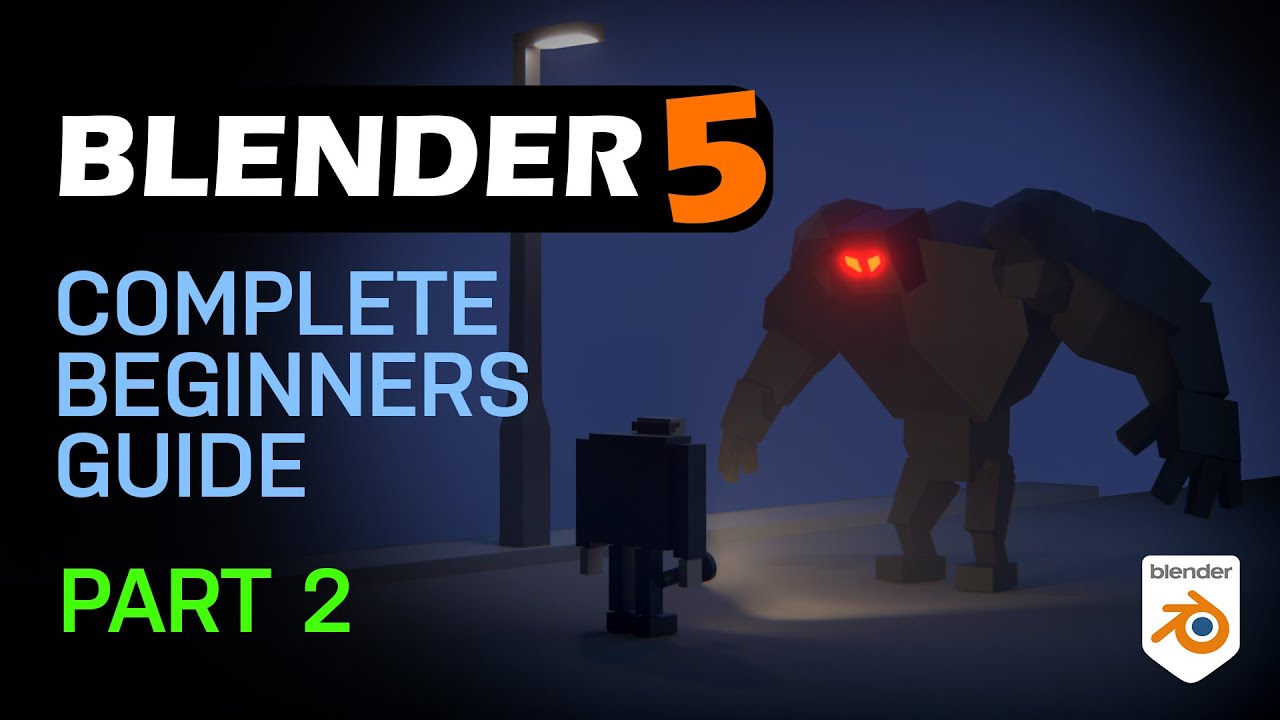
In this video, we move beyond basic geometry and dive into the exciting world of materials, shaders, and adding color to our objects. We will learn how to make our 3D models look metallic, shiny, rough, or even make them glow! By the end of this series, you'll have created the entire fun 3D scene shown in the thumbnail.
In Part 2, you will learn:
How to access the powerful Shader Editor.
The core functions of the Principled BSDF shader.
How to make materials shiny, metallic, or matte.
How to reuse materials across multiple objects.
Blender 5 Complete Beginner Course Chapters:
00:00:00 | Introduction to Part 2: Materials & Shaders
00:00:23 | Setting Up the Shader Editor View
00:01:41 | Creating a New Material for an Object
00:02:47 | Understanding the Base Color & Principled BSDF
00:03:22 | Metallic and Specular Properties
00:04:41 | The Roughness Property (Gloss vs. Matte)
00:05:32 | Creating Emissive Colors (Making Lights)
00:05:54 | Quick Look at Shading and Render Modes
00:06:50 | Assigning the Same Material to Multiple Objects
00:07:34 | Making a Material Unique (The Number Button)
00:09:07 | ? Challenge 2: Applying Materials to Your Scene
00:10:04 | Saving Your Project (CTRL + S)
00:11:06 | Wrap Up & What's Next in Part 3
The Series Roadmap:
➡️ Previous Video (Part 1: The Interface): [Link to Part 1] ➡️ Next Video (Part 3: Lighting & Rendering): [Link will go here]
Don't forget to subscribe and hit the bell so you don't miss Part 3!
Download Blender 5 Free Here: www.Blender.org
Blender 5 - Complete Beginners Guide Playlist
https://www.youtube.com/playlist?list=PLn3ukorJv4vv9_e-htADGsPX9TMaQpHV8
*****Black Friday All My Courses $10*****
My Complete Blender Creator single course
https://www.gamedev.tv/courses/complete-blender-creator?ref=ywqzmjc
My Mega Pathway Course Bundle - build your own asset packs $40: https://www.gamedev.tv/bundles/blender-pathway?ref=ywqzmjc
SOCIALS:
Substack for Articles & Written Tutorials: https://grantabbitt.substack.com/
Gumroad For Free Beginners Booklet: https://grantabbitt.gumroad.com/
My Website: http://www.gabbitt.co.uk
Discord: https://discord.gg/uwF2fcm
Buy Me a Coffee: https://ko-fi.com/M4M21GGIWE
OTHER USEFUL YOUTUBE TUTORIALS:
Get good at Blender series: https://www.youtube.com/playlist?list=PLn3ukorJv4vvv3ZpWJYvV5Tmvo7ISO-NN
Learn Sculpting playlist: https://www.youtube.com/playlist?list=PLn3ukorJv4vvJM7tvjet4PP-LVjJx13oB
Welcome to Part 2 of the free, complete course designed to teach you Blender 5 from scratch!
In this video, we move beyond basic geometry and dive into the exciting world of materials, shaders, and adding color to our objects. We will learn how to make our 3D models look metallic, shiny, rough, or even make them glow! By the end of this series, you'll have created the entire fun 3D scene shown in the thumbnail.
In Part 2, you will learn:
How to access the powerful Shader Editor.
The core functions of the Principled BSDF shader.
How to make materials shiny, metallic, or matte.
How to reuse materials across multiple objects.
Blender 5 Complete Beginner Course Chapters:
00:00:00 | Introduction to Part 2: Materials & Shaders
00:00:23 | Setting Up the Shader Editor View
00:01:41 | Creating a New Material for an Object
00:02:47 | Understanding the Base Color & Principled BSDF
00:03:22 | Metallic and Specular Properties
00:04:41 | The Roughness Property (Gloss vs. Matte)
00:05:32 | Creating Emissive Colors (Making Lights)
00:05:54 | Quick Look at Shading and Render Modes
00:06:50 | Assigning the Same Material to Multiple Objects
00:07:34 | Making a Material Unique (The Number Button)
00:09:07 | ? Challenge 2: Applying Materials to Your Scene
00:10:04 | Saving Your Project (CTRL + S)
00:11:06 | Wrap Up & What's Next in Part 3
The Series Roadmap:
➡️ Previous Video (Part 1: The Interface): [Link to Part 1] ➡️ Next Video (Part 3: Lighting & Rendering): [Link will go here]
Don't forget to subscribe and hit the bell so you don't miss Part 3!
Download Blender 5 Free Here: www.Blender.org
Blender 5 - Complete Beginners Guide Playlist
https://www.youtube.com/playlist?list=PLn3ukorJv4vv9_e-htADGsPX9TMaQpHV8
*****Black Friday All My Courses $10*****
My Complete Blender Creator single course
https://www.gamedev.tv/courses/complete-blender-creator?ref=ywqzmjc
My Mega Pathway Course Bundle - build your own asset packs $40: https://www.gamedev.tv/bundles/blender-pathway?ref=ywqzmjc
SOCIALS:
Substack for Articles & Written Tutorials: https://grantabbitt.substack.com/
Gumroad For Free Beginners Booklet: https://grantabbitt.gumroad.com/
My Website: http://www.gabbitt.co.uk
Discord: https://discord.gg/uwF2fcm
Buy Me a Coffee: https://ko-fi.com/M4M21GGIWE
OTHER USEFUL YOUTUBE TUTORIALS:
Get good at Blender series: https://www.youtube.com/playlist?list=PLn3ukorJv4vvv3ZpWJYvV5Tmvo7ISO-NN
Learn Sculpting playlist: https://www.youtube.com/playlist?list=PLn3ukorJv4vvJM7tvjet4PP-LVjJx13oB

Grant Abbitt (Gabbitt)
This channel is about games design and game art. I use Blender, Photoshop, Krita and a few other programmes. My tutorials are mainly about How to use Blender. I also Vlog now and again about freelancing, being creative, and the creative industries.
Live ...