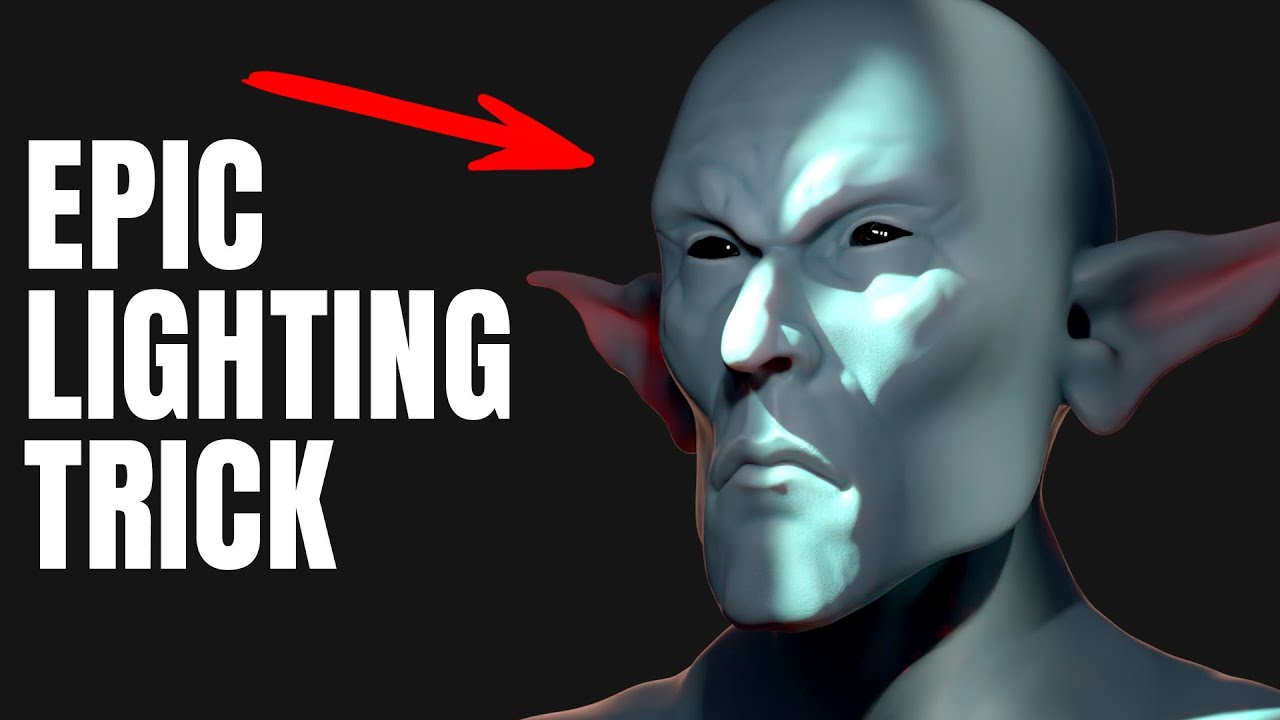
Get Epic Cinematic Lighting in Blender with Just ONE Light!
#blender3d #3danimation #blendertutorial
Stop wasting time with complicated lighting rigs! Learn how to get cinematic lighting in Blender with just ONE light. In this quick and easy Blender tutorial, I'll show you my secret weapon: mastering the core functionality of the Area Light.
You'll learn the simple tricks for using a single Area Light to instantly transform your flat, boring renders into intense and exciting scenes. This method is fast, powerful, and the most effective way to improve your 3D lighting instantly. Perfect for beginners and intermediate Blender users!
*****
CRAZY BLACK FRIDAY DEAL 6 COURSE FOR $30:
https://gamedev.tv/bundles/beginner-blender-black-friday-2025?ref=ywqzmjc
*****
Learn how to sculpt in Blender:
https://youtu.be/K7AJVx0H3Ec
SOCIALS:
Substack for Articles & Written Tutorials: https://grantabbitt.substack.com/
Gumroad For Free Beginners Booklet: https://grantabbitt.gumroad.com/
My Website: http://www.gabbitt.co.uk
Discord: https://discord.gg/uwF2fcm
Buy Me a Coffee: https://ko-fi.com/M4M21GGIWE
OTHER USEFUL YOUTUBE TUTORIALS:
Learn the basics of Blender 4: https://youtu.be/lLqep5Q4MiI
Get good at blender series: https://www.youtube.com/playlist?list=PLn3ukorJv4vvv3ZpWJYvV5Tmvo7ISO-NN
Learn Sculpting playlist: https://www.youtube.com/playlist?list=PLn3ukorJv4vvJM7tvjet4PP-LVjJx13oB
0:00 Introduction: The ONE Light Secret
0:31 Scene Setup & Blender Settings (Cycles)
1:02 Adding & Basic Area Light Setup
1:33 Mastering Shadow Sharpness (Scale vs. Radius)
2:27 The Secret: Intense Focus with Beam Shape
2:48 Creating the Intense Strip Light Look
3:17 Advanced: Patterned Lighting (Gobos with Nodes)
4:44 Final Tweaks & Conclusion
Stop wasting time with complicated lighting rigs! Learn how to get cinematic lighting in Blender with just ONE light. In this quick and easy Blender tutorial, I'll show you my secret weapon: mastering the core functionality of the Area Light.
You'll learn the simple tricks for using a single Area Light to instantly transform your flat, boring renders into intense and exciting scenes. This method is fast, powerful, and the most effective way to improve your 3D lighting instantly. Perfect for beginners and intermediate Blender users!
*****
CRAZY BLACK FRIDAY DEAL 6 COURSE FOR $30:
https://gamedev.tv/bundles/beginner-blender-black-friday-2025?ref=ywqzmjc
*****
Learn how to sculpt in Blender:
https://youtu.be/K7AJVx0H3Ec
SOCIALS:
Substack for Articles & Written Tutorials: https://grantabbitt.substack.com/
Gumroad For Free Beginners Booklet: https://grantabbitt.gumroad.com/
My Website: http://www.gabbitt.co.uk
Discord: https://discord.gg/uwF2fcm
Buy Me a Coffee: https://ko-fi.com/M4M21GGIWE
OTHER USEFUL YOUTUBE TUTORIALS:
Learn the basics of Blender 4: https://youtu.be/lLqep5Q4MiI
Get good at blender series: https://www.youtube.com/playlist?list=PLn3ukorJv4vvv3ZpWJYvV5Tmvo7ISO-NN
Learn Sculpting playlist: https://www.youtube.com/playlist?list=PLn3ukorJv4vvJM7tvjet4PP-LVjJx13oB
0:00 Introduction: The ONE Light Secret
0:31 Scene Setup & Blender Settings (Cycles)
1:02 Adding & Basic Area Light Setup
1:33 Mastering Shadow Sharpness (Scale vs. Radius)
2:27 The Secret: Intense Focus with Beam Shape
2:48 Creating the Intense Strip Light Look
3:17 Advanced: Patterned Lighting (Gobos with Nodes)
4:44 Final Tweaks & Conclusion

Grant Abbitt (Gabbitt)
This channel is about games design and game art. I use Blender, Photoshop, Krita and a few other programmes. My tutorials are mainly about How to use Blender. I also Vlog now and again about freelancing, being creative, and the creative industries.
Live ...