Your First Character in Blender — Simple Beginner Tutorial
Check out the printer here:https://store.creality.com/products/creality-hi-combo-3d-printer/?gad_campaignid=22540602927
This video sponsored by Creality
—
Resources & Downloads
Crafty Asset Pack (COUPON CODE 25% OFF:FLAMINGO): https://superhivemarket.com/products/crafty-asset-pack
Lighting Tutorial: https://youtu.be/o0uc4sRArjE
Material Tutorial: https://youtu.be/esb3L7qp5io
Keyboard Shortcut Tutorial: https://youtu.be/ILqOWe3zAbk
Lattice Tutorial: https://youtu.be/70ylPbKXAF4
Flamingo Reference Sketch: https://drive.google.com/file/d/1lBj3QDAnTb7kTpb3tHzd_d4Zwnkd9W7O/view?usp=sharing
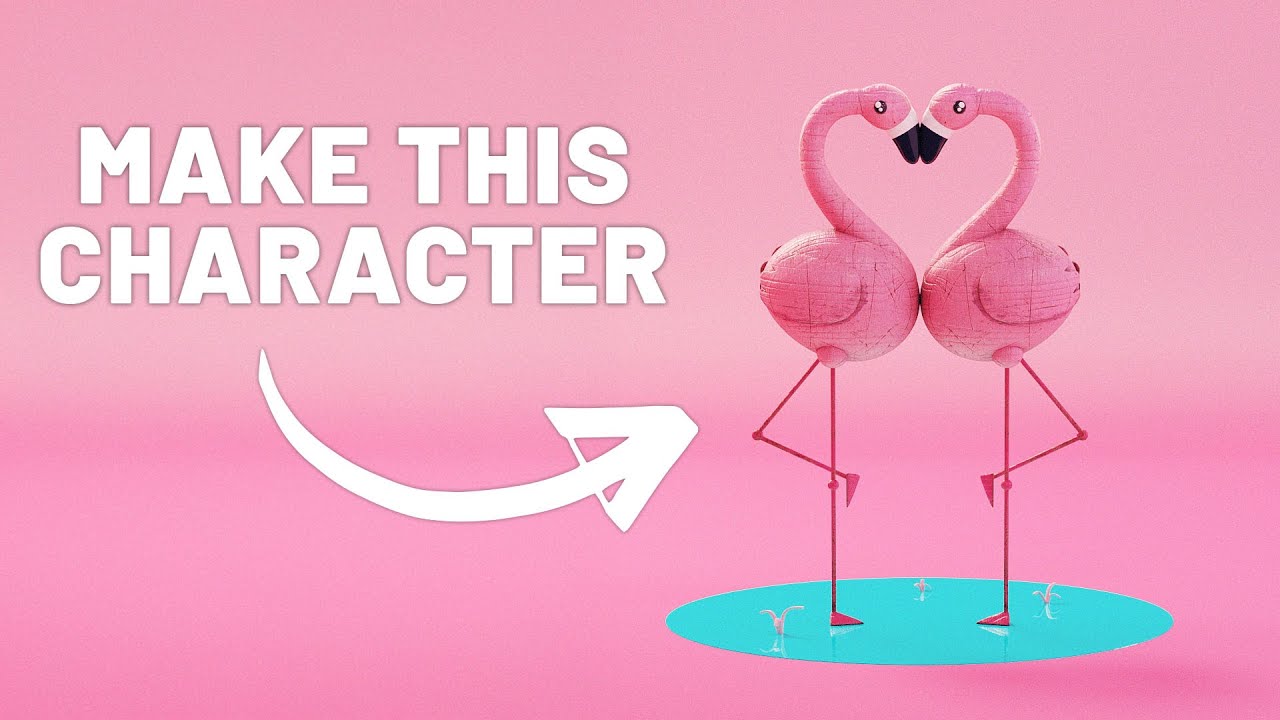
Blender for Beginners — learn how to model your own cute toy animal characters step by step! This tutorial is perfect if you’re brand new to Blender and want to create stylized, beginner-friendly 3D models you can render, animate, or even 3D print.
In this video you’ll learn:
-How to set up Blender for beginner modeling
-Blocking out toy-like proportions using simple shapes
-Adding stylized features (big eyes, round forms, simple limbs)
-Using modifiers like Subdivision and Mirror for faster results
-Applying basic materials for soft, cozy toy vibes
-How to prepare models for 3D printing
Why Watch?
This step-by-step tutorial keeps things fun and easy while teaching you core modeling workflows. By the end, you’ll have your very own cute toy animal character—great for stylized scenes, cozy fantasy projects, or animation practice.
—
?️ Tools & Versions
• Blender 4.5 (works in Blender 3.x too)
?My Products (affiliate links)?
Dynamic VFX Pack (Free Sample Pack): https://blendermarket.com/products/blender-dynamic-vfx---elemental-asset-pack?ref=434
Crafty Asset Pack (Free Sample Pack): https://blendermarket.com/products/crafty-asset-pack?ref=434
Patreon: https://www.patreon.com/southernshotty
Skillshare: https://www.skillshare.com/r/user/southernshotty
-----------------------------------------------------------------------------------------------------------
Tag me in your artwork on Instagram and Twitter @SouthernShotty
Instagram: https://www.instagram.com/southernshotty/
Twitter: https://twitter.com/SouthernShotty
-----------------------------------------------------------------------------------------------------------
00:00 – Let’s Make Beginner Blender Tutorials Fun Again
00:14 – Free Resources That Make This Easier
00:34 – Blocking Out the Base Shape
03:44 – How I Turned This Into a Real Toy
04:44 – Building Out the Details (Eyes, Beak, Wings)
09:37 – The Trick to Making It Feel Like a Character
12:26 – Mirroring
14:14 – Fast & Simple UVs and Stylized Texturing
17:13 – Painting on Details with Symmetry
18:20 – The Final Puppet Look (What’s Next?)
This video sponsored by Creality
—
Resources & Downloads
Crafty Asset Pack (COUPON CODE 25% OFF:FLAMINGO): https://superhivemarket.com/products/crafty-asset-pack
Lighting Tutorial: https://youtu.be/o0uc4sRArjE
Material Tutorial: https://youtu.be/esb3L7qp5io
Keyboard Shortcut Tutorial: https://youtu.be/ILqOWe3zAbk
Lattice Tutorial: https://youtu.be/70ylPbKXAF4
Flamingo Reference Sketch: https://drive.google.com/file/d/1lBj3QDAnTb7kTpb3tHzd_d4Zwnkd9W7O/view?usp=sharing
Blender for Beginners — learn how to model your own cute toy animal characters step by step! This tutorial is perfect if you’re brand new to Blender and want to create stylized, beginner-friendly 3D models you can render, animate, or even 3D print.
In this video you’ll learn:
-How to set up Blender for beginner modeling
-Blocking out toy-like proportions using simple shapes
-Adding stylized features (big eyes, round forms, simple limbs)
-Using modifiers like Subdivision and Mirror for faster results
-Applying basic materials for soft, cozy toy vibes
-How to prepare models for 3D printing
Why Watch?
This step-by-step tutorial keeps things fun and easy while teaching you core modeling workflows. By the end, you’ll have your very own cute toy animal character—great for stylized scenes, cozy fantasy projects, or animation practice.
—
?️ Tools & Versions
• Blender 4.5 (works in Blender 3.x too)
?My Products (affiliate links)?
Dynamic VFX Pack (Free Sample Pack): https://blendermarket.com/products/blender-dynamic-vfx---elemental-asset-pack?ref=434
Crafty Asset Pack (Free Sample Pack): https://blendermarket.com/products/crafty-asset-pack?ref=434
Patreon: https://www.patreon.com/southernshotty
Skillshare: https://www.skillshare.com/r/user/southernshotty
-----------------------------------------------------------------------------------------------------------
Tag me in your artwork on Instagram and Twitter @SouthernShotty
Instagram: https://www.instagram.com/southernshotty/
Twitter: https://twitter.com/SouthernShotty
-----------------------------------------------------------------------------------------------------------
00:00 – Let’s Make Beginner Blender Tutorials Fun Again
00:14 – Free Resources That Make This Easier
00:34 – Blocking Out the Base Shape
03:44 – How I Turned This Into a Real Toy
04:44 – Building Out the Details (Eyes, Beak, Wings)
09:37 – The Trick to Making It Feel Like a Character
12:26 – Mirroring
14:14 – Fast & Simple UVs and Stylized Texturing
17:13 – Painting on Details with Symmetry
18:20 – The Final Puppet Look (What’s Next?)

SouthernShotty
Learn all things Blender 3D with a focus on characters, animation, rigging, and motion graphics!...