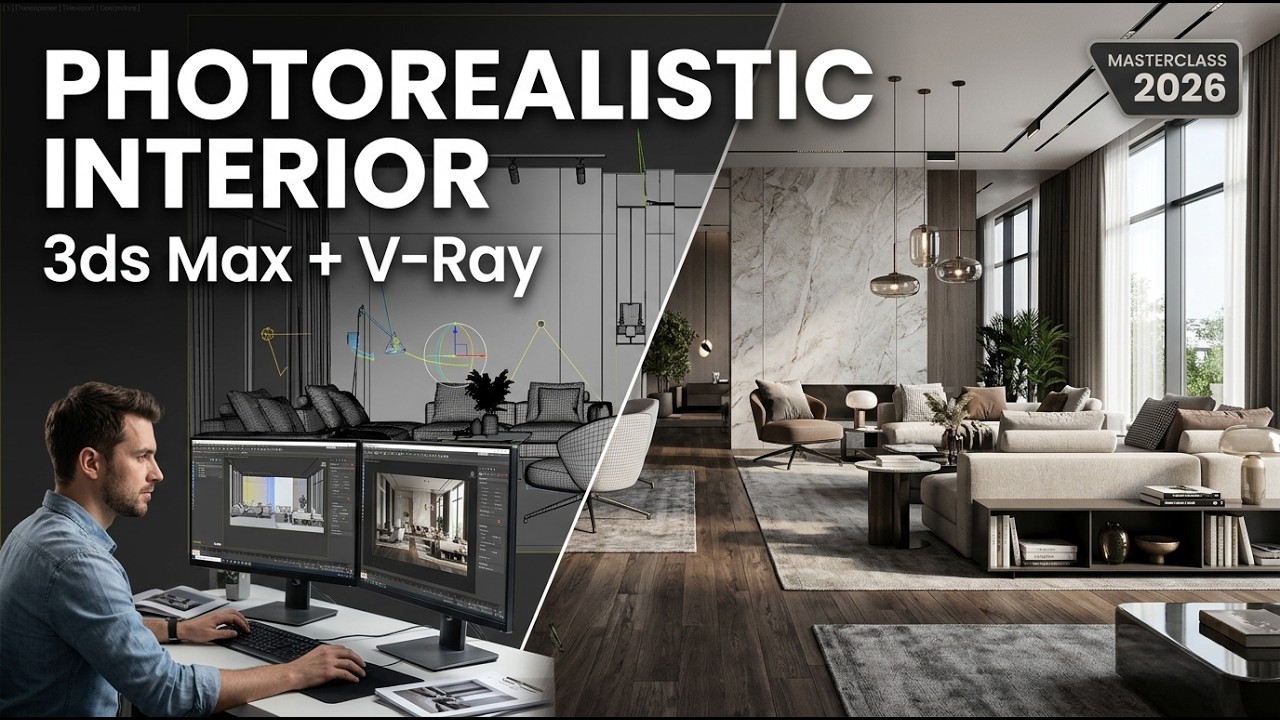
3ds Max & V-Ray Interior Rendering Masterclass 2026 | Photorealistic Arch Viz Tutorial
? Stay Connected:
? Subscribe Now & Start Your Web Development Journey Today!
? [https://www.youtube.com/channel/UCqLYJkKUl5WqdlsoU_5Q9IQ]
Like Facebook page for more Like Facebook page for more update and Videos :https://www.facebook.com/TheTechNerdBD/
3ds Max & V-Ray Interior Rendering Masterclass 2026 | Photorealistic Arch Viz Tutorial
Welcome to the ultimate 3ds Max & V-Ray Interior Rendering Masterclass 2026, your complete blueprint for creating photorealistic architectural visualizations. Whether you are an interior designer, 3D arch viz artist, architect, or CGI enthusiast, mastering high-end rendering workflows is essential for standing out in today's competitive visual arts industry. This tutorial is structured as an end-to-end masterclass designed to elevate your rendering quality from standard 3D graphics to hyper-realistic imagery that captures realistic light, detailed materials, and compelling spatial depth.
? Masterclass Overview & Key Highlights
In this comprehensive tutorial, we cover the modern architectural visualization pipeline using Autodesk 3ds Max and Chaos V-Ray. Photorealism in architectural rendering is not just about high-resolution textures or complex lighting setups; it is about understanding how light behaves in real-world space, how materials interact with natural and artificial illumination, and how virtual cameras emulate physical camera mechanics.
Throughout this masterclass, you will learn industry-standard practices, modern color management workflows, advanced material authoring techniques, optimized lighting setups, and streamlined post-processing methods. Every stage of the interior rendering process is broken down thoroughly so you can easily adapt these concepts to your own commercial, residential, or personal 3D interior projects.
? Key Tips for Achieving Maximum Photorealism
Bevel Every Edge: In the real world, absolute sharp 90-degree edges do not exist. Always apply chamfer modifiers or V-Ray EdgesTex maps to round off object corners and catch natural light glints.
Master the Roughness Channel: Photorealism lives in reflection roughness. Avoid uniform glossiness values across materials; always introduce variance using grayscale noise or imperfection maps.
Respect Physical Units: Keep light intensities, light dimensions, camera focal lengths, and model scales grounded in real-world metric measurements to ensure physical light falloff behaves accurately.
Embrace Soft Shadowing: Direct, hard-edged shadows scream artificial 3D. Use larger light source areas (such as enlarged V-Ray plane lights or scaled HDRI dome lights) to produce smooth, realistic shadow transitions.
Color Temperature Consistency: Mix warm artificial lights (2700K - 3500K) with cool exterior daylight (6000K - 6500K) to establish compelling color contrast and visual depth across your interior spaces.
❓ Frequently Asked Questions (FAQ)
Which version of 3ds Max and V-Ray is this tutorial compatible with?
This masterclass utilizes modern features found in 3ds Max 2024, 2025, and 2026 along with V-Ray 6 and V-Ray 7. However, the core principles of lighting, camera composition, PBR shading, and post-processing apply to earlier versions as well.
Can I render this scene using CPU or GPU?
Yes. V-Ray offers feature parity between CPU (V-Ray) and GPU (V-Ray GPU) rendering modes. You can follow along regardless of whether you rely on multi-core processors or dedicated graphics processing units.
Is ACES color management mandatory for photorealism?
While not strictly mandatory, ACEScg provides a far broader color gamut and natural highlight handling, making it significantly easier to achieve realistic lighting results compared to traditional sRGB setups.
How do I lower render times without losing detail?
Focus on optimizing light subdivs, using V-Ray Proxies for high-poly geometries, leveraging AI denoising, setting smart noise thresholds, and applying instance geometry wherever possible.
? Subscribe Now & Start Your Web Development Journey Today!
? [https://www.youtube.com/channel/UCqLYJkKUl5WqdlsoU_5Q9IQ]
Like Facebook page for more Like Facebook page for more update and Videos :https://www.facebook.com/TheTechNerdBD/
3ds Max & V-Ray Interior Rendering Masterclass 2026 | Photorealistic Arch Viz Tutorial
Welcome to the ultimate 3ds Max & V-Ray Interior Rendering Masterclass 2026, your complete blueprint for creating photorealistic architectural visualizations. Whether you are an interior designer, 3D arch viz artist, architect, or CGI enthusiast, mastering high-end rendering workflows is essential for standing out in today's competitive visual arts industry. This tutorial is structured as an end-to-end masterclass designed to elevate your rendering quality from standard 3D graphics to hyper-realistic imagery that captures realistic light, detailed materials, and compelling spatial depth.
? Masterclass Overview & Key Highlights
In this comprehensive tutorial, we cover the modern architectural visualization pipeline using Autodesk 3ds Max and Chaos V-Ray. Photorealism in architectural rendering is not just about high-resolution textures or complex lighting setups; it is about understanding how light behaves in real-world space, how materials interact with natural and artificial illumination, and how virtual cameras emulate physical camera mechanics.
Throughout this masterclass, you will learn industry-standard practices, modern color management workflows, advanced material authoring techniques, optimized lighting setups, and streamlined post-processing methods. Every stage of the interior rendering process is broken down thoroughly so you can easily adapt these concepts to your own commercial, residential, or personal 3D interior projects.
? Key Tips for Achieving Maximum Photorealism
Bevel Every Edge: In the real world, absolute sharp 90-degree edges do not exist. Always apply chamfer modifiers or V-Ray EdgesTex maps to round off object corners and catch natural light glints.
Master the Roughness Channel: Photorealism lives in reflection roughness. Avoid uniform glossiness values across materials; always introduce variance using grayscale noise or imperfection maps.
Respect Physical Units: Keep light intensities, light dimensions, camera focal lengths, and model scales grounded in real-world metric measurements to ensure physical light falloff behaves accurately.
Embrace Soft Shadowing: Direct, hard-edged shadows scream artificial 3D. Use larger light source areas (such as enlarged V-Ray plane lights or scaled HDRI dome lights) to produce smooth, realistic shadow transitions.
Color Temperature Consistency: Mix warm artificial lights (2700K - 3500K) with cool exterior daylight (6000K - 6500K) to establish compelling color contrast and visual depth across your interior spaces.
❓ Frequently Asked Questions (FAQ)
Which version of 3ds Max and V-Ray is this tutorial compatible with?
This masterclass utilizes modern features found in 3ds Max 2024, 2025, and 2026 along with V-Ray 6 and V-Ray 7. However, the core principles of lighting, camera composition, PBR shading, and post-processing apply to earlier versions as well.
Can I render this scene using CPU or GPU?
Yes. V-Ray offers feature parity between CPU (V-Ray) and GPU (V-Ray GPU) rendering modes. You can follow along regardless of whether you rely on multi-core processors or dedicated graphics processing units.
Is ACES color management mandatory for photorealism?
While not strictly mandatory, ACEScg provides a far broader color gamut and natural highlight handling, making it significantly easier to achieve realistic lighting results compared to traditional sRGB setups.
How do I lower render times without losing detail?
Focus on optimizing light subdivs, using V-Ray Proxies for high-poly geometries, leveraging AI denoising, setting smart noise thresholds, and applying instance geometry wherever possible.

Full Course
This channel is about full courses any type of Content Software So Subscribe For Upcoming New Fully Free Course By Full course....